Otonal

Keep the music. Keep the words.

Otonal plays the music files on your Android phone and shows the lyrics in time with the song. It works with no account and no connection.

Get it on Google Play

For Android 7.0 and newer.

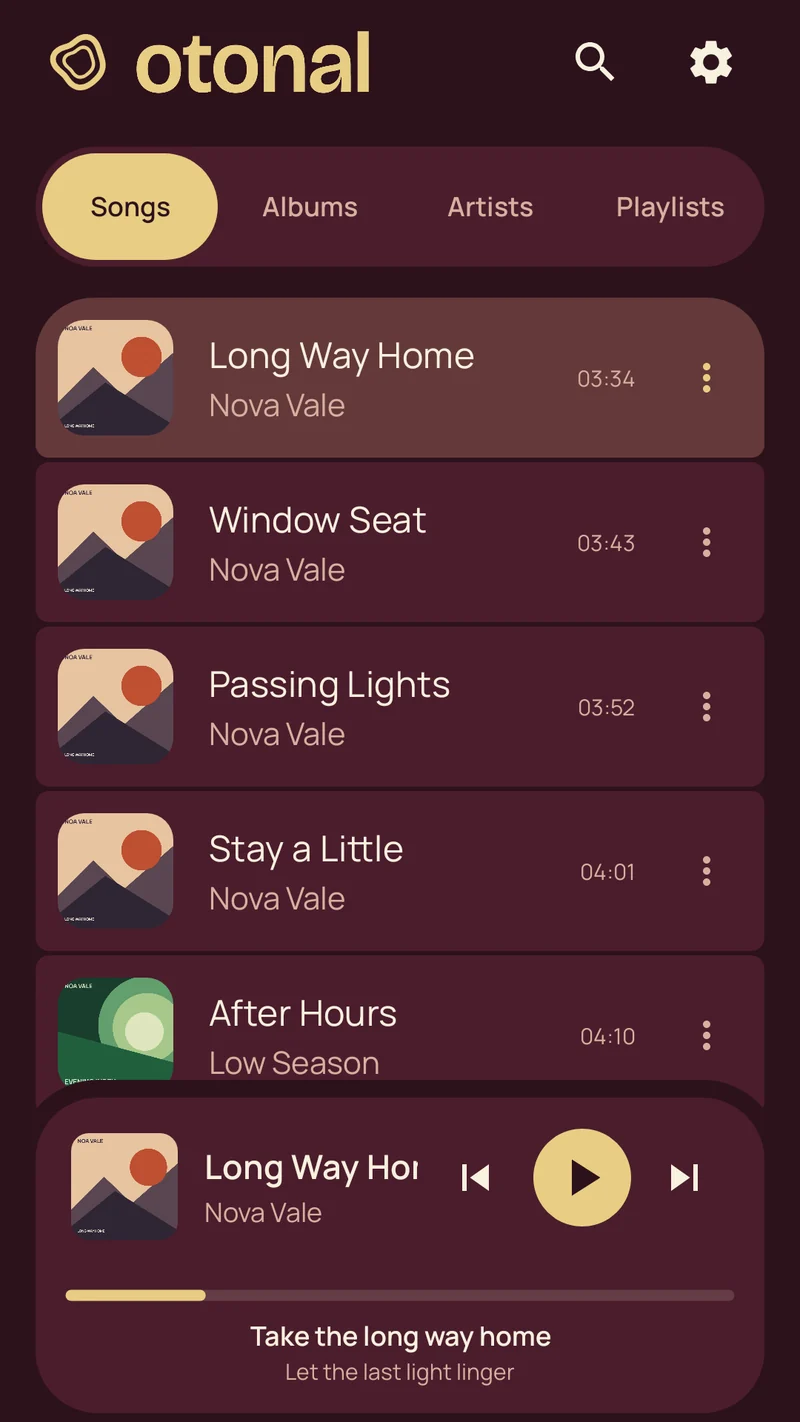
The Otonal song library. The mini player at the bottom shows the current and next lyric line.
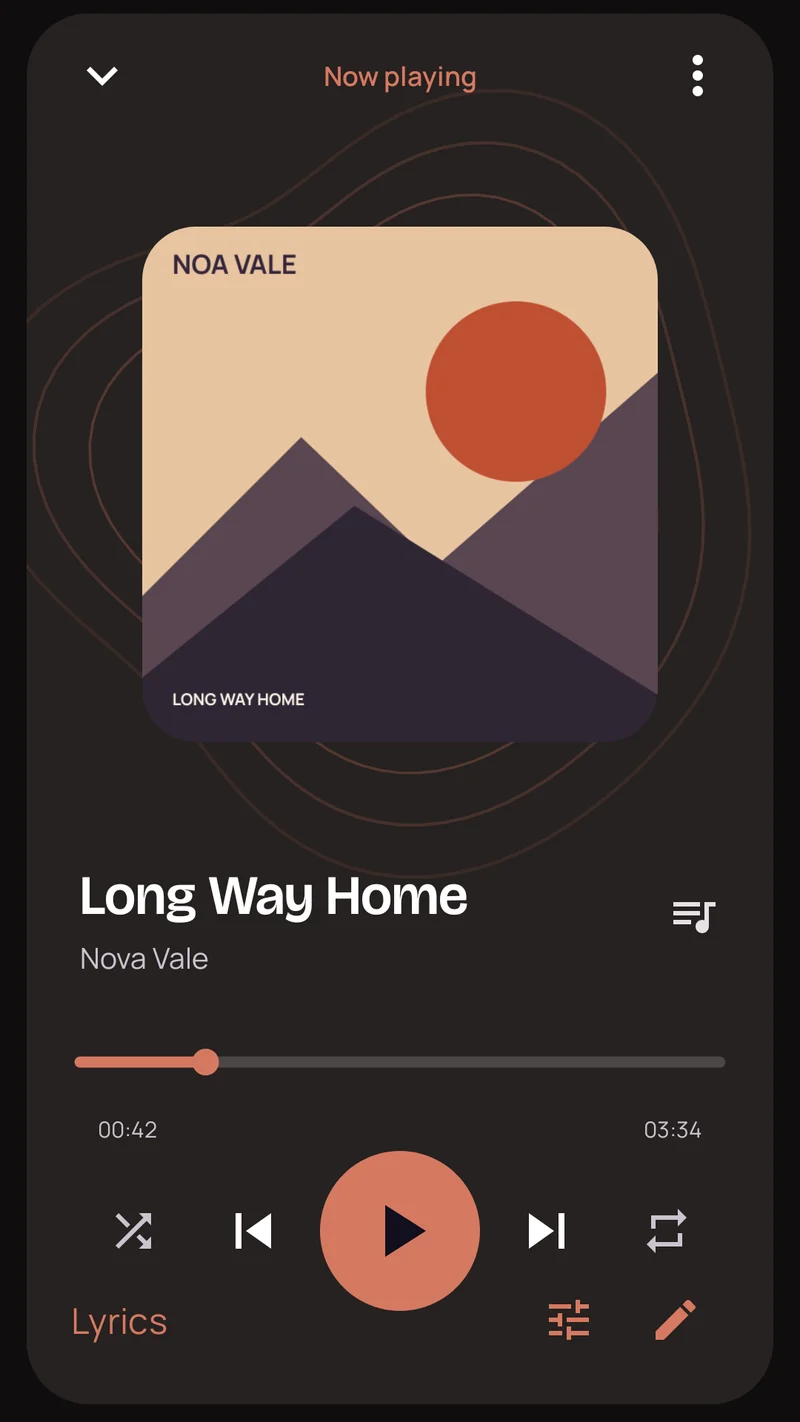
The Otonal player in orange and charcoal, the colors of the album cover on screen.

The cover picks the colors.

The player and the library take their palette from the album art of the song that's playing.

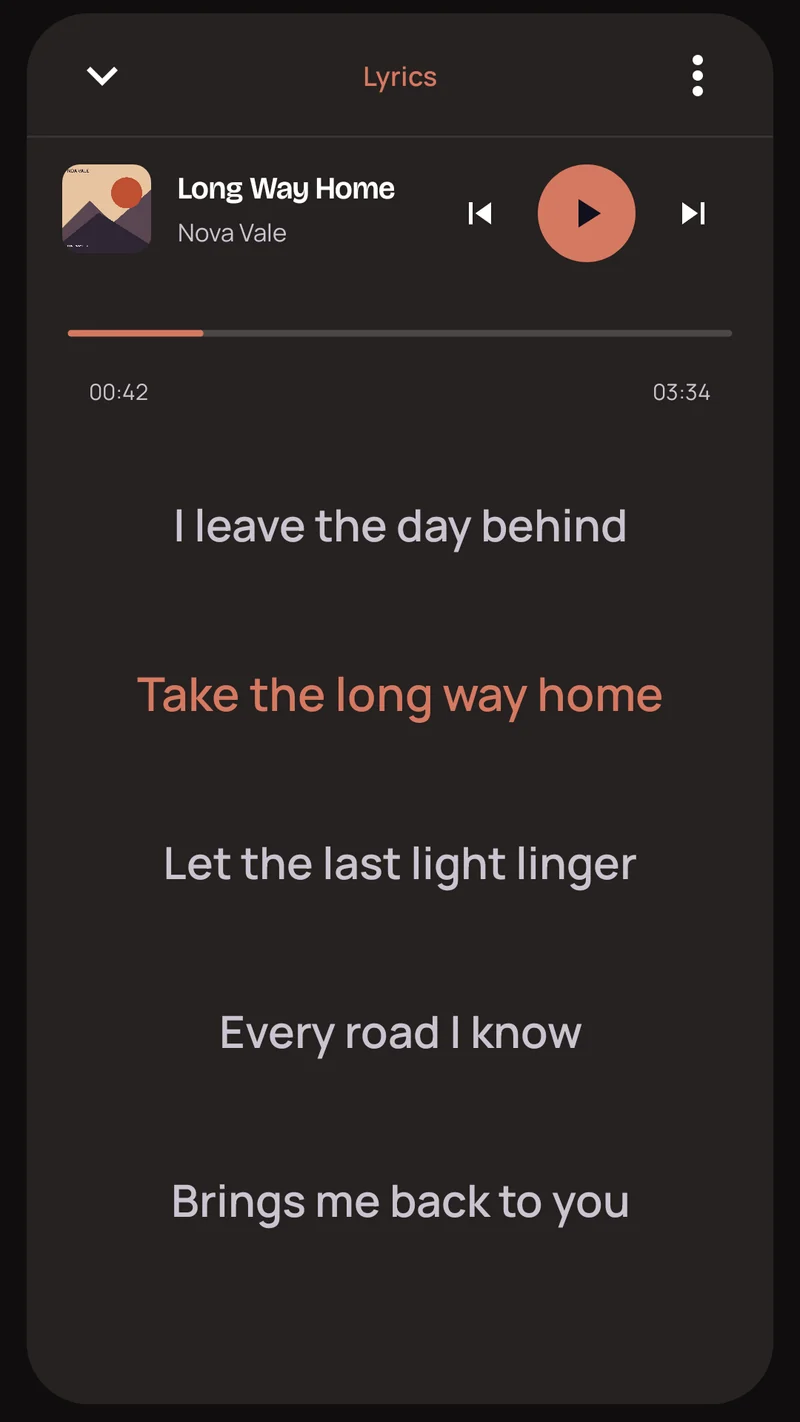
Synced lyrics in Otonal, with the line being sung highlighted.

Yours, line by line.

Otonal reads synced lyrics from the song's tags or from a .lrc file next to it. When a song has none, type them in. The current line and the next one also show on the mini player.

Also in Otonal

Folders
Play everything on the phone, or only one folder.
Playlists
Make your own and export them as .m3u8 files.
Even volume
ReplayGain keeps tracks at the same loudness. Silence trimming skips quiet starts and endings.
Sleep timer and speed
Stop playback after a set time, or change how fast the song plays.
Widget and picture-in-picture
Control the song from the home screen or from a small floating window.
Cast
Send the song to a speaker or TV with Google Cast.

Your music. No signal required.

Get it on Google Play